
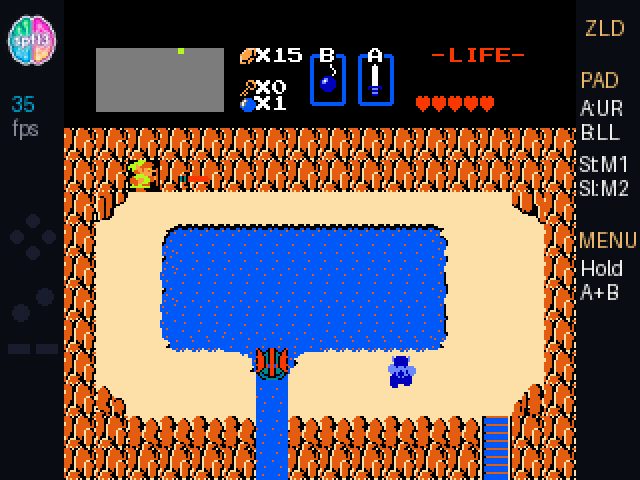

As one of the GitHub Stars and a member of the GitHub Creators program, I got a package a few days before GitHub Universe: my conference badge, early, with a little note card tucked in that said hack this. As soon as I saw it I thought — man, this has a game controller on it, and it’s kind of perfect. Hanging from a lanyard around your neck, you can just grab it, hold it up, and play. I wonder if I can get The Legend of Zelda on it.
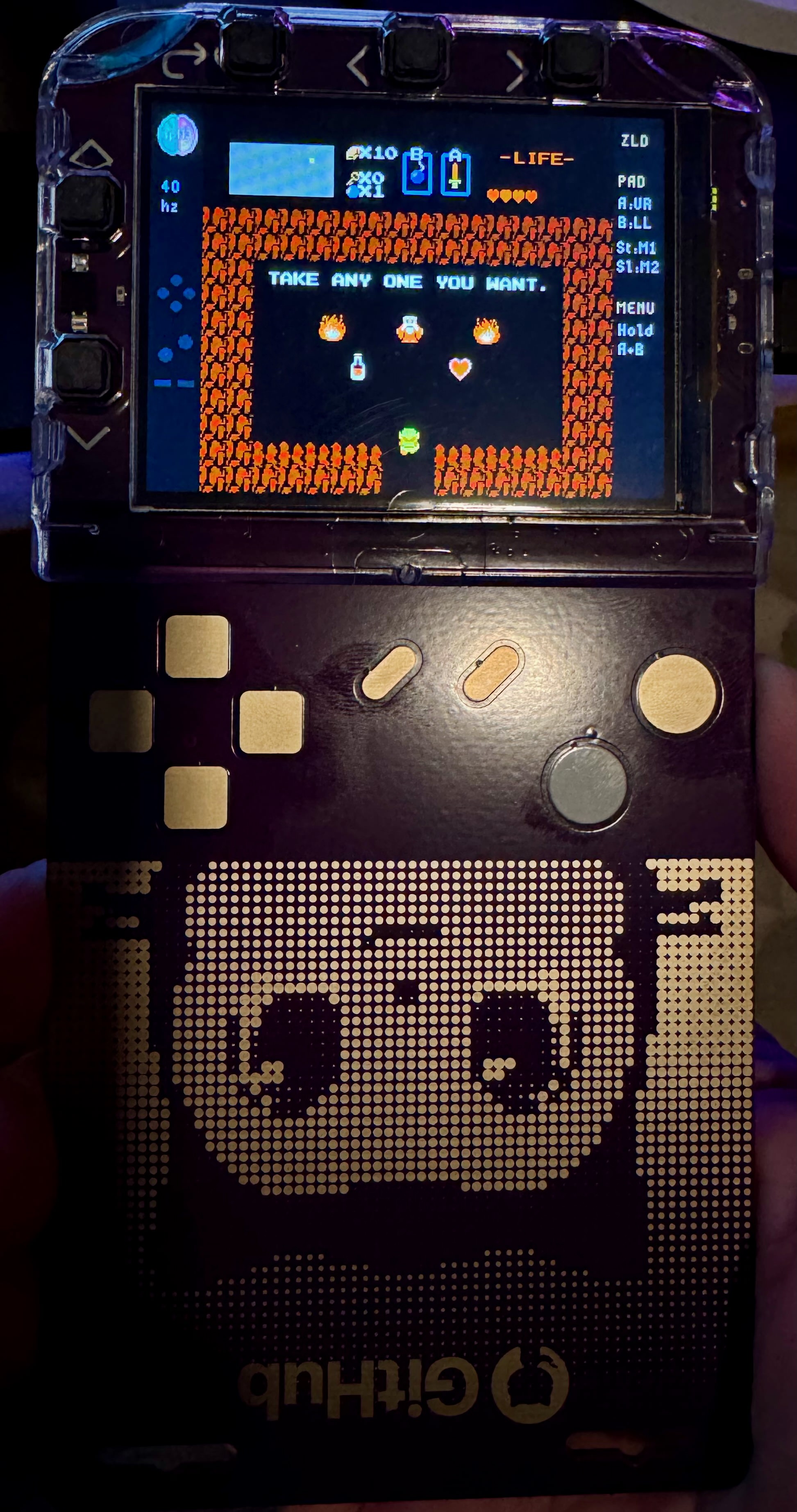
So I backed up the flash, mounted the filesystem, and verified the restore came back clean — the whole badge is recoverable from USB, which is why every experiment below ships as F:\apps\nes you can delete if you want every byte back. With that safety net I started working out how much of the badge I’d have to give up.
This year’s badge is called Badger, and it’s a nice piece of hardware: an RP2350 (dual-core ARM Cortex-M33 running at 230 MHz), a 320×240 IPS panel, 16 MB of QSPI flash with about 9.76 MB free for user apps out of the box, 8 MB of QSPI PSRAM, an accelerometer, Bluetooth Low Energy, and an infrared transceiver.
It runs MonaOS 4.0, a custom MicroPython environment with hardware-accelerated graphics primitives (badgeware), a dual-core software 3D rasterizer (pico3d), and LED control (sparkle).
You Could Just Flash a C Emulator
The obvious approach is to flash a bare-metal C NES emulator as a .uf2 image. That takes about twenty minutes, and it works. It also turns the badge into a Nintendo emulator that used to be a badge which ruins the entire point.
You lose MonaOS: the BLE contact exchange, the venue IR scavenger hunt, the two-player games, the tilt-controlled 3D Mona launcher. All of it.
I didn’t want a dedicated emulator. I wanted Zelda, Super Mario Bros., and Tetris to be an ordinary app inside MonaOS, sitting at /apps/nes, launching from the carousel, and dropping back to the OS when you tap the HOME pad on the back.
Which means running inside MicroPython. And running an NES inside an interpreted language on a microcontroller runs into serious performance issues. I love a challenge like this.
An NES needs three things:
- An emulated 8-bit Ricoh 2A03 (a 6502 core) at 1.789773 MHz, about 29,780 CPU cycles per frame at 60 Hz.
- A Picture Processing Unit rasterizing 240 scanlines of background tiles and up to 64 hardware sprites.
- 61,440 pixels written to the display buffer every frame.
Standard MicroPython bytecode manages somewhere around 100,000–200,000 interpreted opcodes per second on a Cortex-M33. Full-speed NES needs roughly ten times that.
Writing a native C .mpy module was an option but not one I was really interested in. Custom dynamic native modules on MicroPython are an ABI and symbol-matching gamble against a vendor firmware image. It just felt too risky and fragile of an option. If it breaks on someone else’s badge, it breaks in a way they can’t fix.
So with a healthy amount of curiosity and with Gemini 4 Argon we went to work. The model drafted the inner loops from prompts describing the 6502, PPU, and mapper contracts — instruction decode, sprite evaluation, and bank switching. I set the four-pointer architecture around st, mem, fb, and fpal, shaped the Viper kernels, and measured every number below on hardware over USB serial. The remaining bugs (viper:8004, __aeabi_idivmod calls, the frame budget) are the kind you only get from running it.
Other pure-Python NES emulators I tried allocate objects on every instruction and ran at less than half a frame per second on the badge in my quick test. So Gemini and I built our own NES emulator from scratch (apps/nes/emu.py, ~1,100 lines): a custom 6502 CPU core, scanline PPU renderer, and Mapper 0 (NROM), Mapper 1 (MMC1), Mapper 2 (UxROM), and Mapper 3 (CNROM) bank switcher engineered specifically around RP2350 @micropython.viper.
The @micropython.viper Unlocked the Badge’s Performance Potential
The thing that makes this possible is @micropython.viper.
Regular MicroPython, and even @micropython.native, still dispatches through the object model. Viper doesn’t. It compiles typed Python syntax directly into raw ARM Thumb-2 instructions at import time, and it works on unboxed values: machine-word integers and raw pointers (ptr8, ptr16, ptr32).
So when you dereference ptr8[offset], you get a single 16-bit Thumb-2 LDRB or STRB. No heap allocation, no dictionary lookups, no garbage collector pressure.
@micropython.viper
def apply_scanlines_16(fb: ptr16, start_row: int, height: int, width: int):
    for y in range(start_row, start_row + height, 2):
        row: int = y * 320 + 32
        for x in range(width):
            idx: int = row + x
            val: int = int(fb[idx])
            fb[idx] = (val >> 1) & 0x7BEF  # 50% RGB565 luminance attenuation
That one decorator closes most of the performance gap. The catch is that Viper comes with some fairly unforgiving constraints.
Squeezing a 6502 and a PPU into Four CPU Registers
Writing non-trivial emulation in Viper means living with the ARM Architecture Procedure Call Standard:
- Four arguments, maximum. Viper functions take
r0throughr3. A fifth argument is a compile-time error. - No working Viper-to-Viper calls. Calling one Viper helper from another boxes the arguments back through the MicroPython runtime, or fails to compile with
viper:8004on Cortex-M33. Every hot kernel,cpu_stepespecially, has to inline its own memory reads, writes, and bank switches into one self-contained function. - Explicit casts. Reading a byte out of
mem: ptr8into a typed local needs an explicitint(mem[addr]), or the on-device compiler stops withViperTypeError: local 'op' has type 'int' but source is object. - No dynamic structures. No dicts, no objects, no tuples in the inner loop. Primitive arrays and pointer arithmetic only.
So we packed CPU work RAM, OAM, palette RAM, VRAM, and the cartridge save window into a single contiguous 32 KB bytearray ($0000–$7FFF in the emulator, with PRG ROM banked in separately):
0x0000–0x07FF: 2 KB internal CPU work RAM (mirrored up to0x1FFF)0x0800–0x08FF: 256 B object attribute memory (sprite OAM)0x0900–0x091F: 32 B active palette RAM0x1000–0x1FFF: 4 KB VRAM and nametables0x2000–0x3FFF: 8 KB pattern table and CHR RAM window0x4000–0x5FFF: 8 KB battery-backed save RAM ($6000–$7FFFon the 6502 bus), mapped when the cartridge claims it0x6000–0x7FFF: 8 KB spare tail reserved for cartridge expansion
The badge has no speaker, so there is no APU, and $4000–$4017 isn’t emulated — this is a picture-only port.
The emulator’s own registers (program counter, accumulator, X, Y, stack pointer, status flags, cycle counters, PPU latches, MMC1 shift registers) all live in a 64-element 32-bit integer array (st).
Four pointers (st: ptr32, mem: ptr8, fb: ptr16, fpal: ptr16) are enough for the entire 6502 core and PPU to run without spilling.
Direct to Screen: Centering 256×240 on a 320×240 IPS Panel
The panel runs in 16-bit RGB565. MonaOS exposes the underlying buffer as screen.raw.
Rather than rendering into an intermediate frame buffer and paying for a full-screen blit, the PPU scanline renderer writes directly into display memory:
@micropython.viper
def render_bg_16(st: ptr32, mem: ptr8, fb: ptr16, fpal: ptr16):
    if not (st[REG_PPU_MASK] & 0x08):
        c: int = int(fpal[0])
        for y in range(240):
            row_c: int = y * 320 + 32
            for x in range(256):
                fb[row_c + x] = c
        return

    # Scanline tile fetch and bitplane unpack directly to fb[y * 320 + 32 + x]
    ...
The NES screen is 256 pixels wide and the badge is 320, so centering it leaves a 32-pixel gutter on each side.
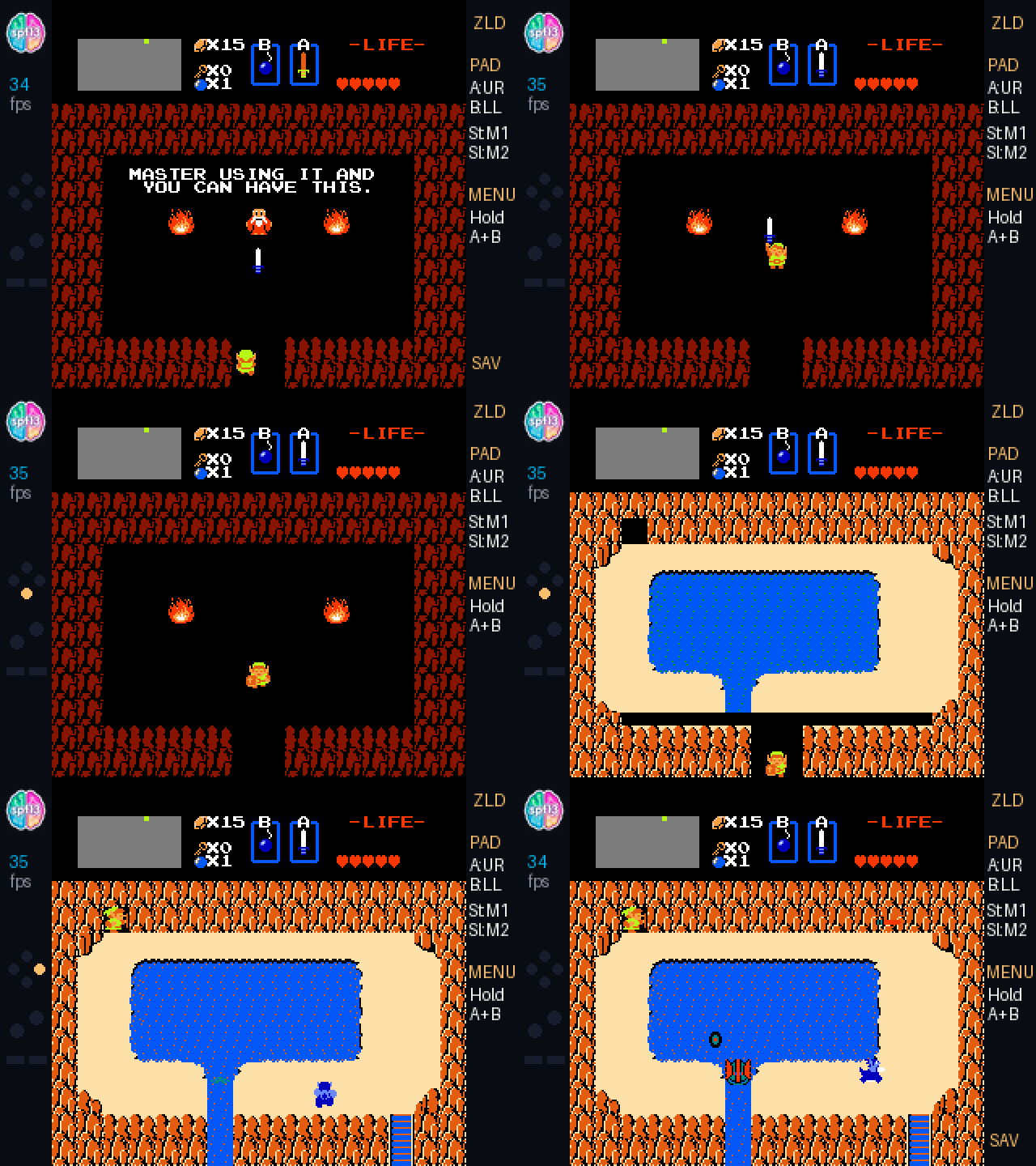
Leaving that dark seemed like a waste. The left gutter now carries the spf13 labs mark, a live FPS counter (around 32 FPS in Zelda in this post-optimized build with the sidebar and HUD), and a controller input visualizer. The right gutter has the button mapping and a SAV indicator that lights up whenever battery SRAM hits the disk.
Flipping the Badge Upside-Down Turns It into a Handheld
When the badge hangs from a lanyard, the 8-channel CAP1208 capacitive controller (badge.pad) sits at the top of the board, above the screen. Genius design. It means you can grab the badge, keep the lanyard around your neck and play it like a gameboy as you rotate it 180° and the touch array lands under your thumbs, which is exactly where a handheld wants it. The only issue is the badge’s orientation is now inverted, so the logical mapping of the D-pad and action buttons is upside-down. The fix is simple:
- Eight buttons, NES-shaped: four D-pad channels, two right-hand action pads (
BUTTON_BACKfor A,BUTTON_SELECTfor B), and two pads in the middle (BUTTON_HOMEfor START,BUTTON_MENUfor SELECT). All eight are touch channels, and the firmware exposes them as logical actions rather than fixed GPIOs. - Automatic rotation (
badge.autorotate(True)): theLSM6DS3IMU notices the inverted orientation,badge.rotate_180(True)flips the screen buffer 180°, and the logical mapping swapsUP ↔ DOWNandLEFT ↔ RIGHT.
Shaving 49 ms per Frame: From 22% Slow-Motion to Playable
The first build that actually booted Zelda on hardware gave us 72.9 ms per frame: 31.9 ms in the 6502 core and 41.0 ms in the PPU renderer. That is 13.7 FPS, about 22% of real-time NES speed. Ok. This is awesome. We got it working, Zelda on my conference badge. Once running the next goal was to make it playable. Four changes took 49 ms off every frame, a 3.1× speedup, down to 23.7 ms in Zelda (about 42 FPS) and 10.9 ms of work per frame in Tetris:
- Bypassing the display compositor at 230 MHz. We initially experimented with
machine.freq(300_000_000), which worked for smaller ROMs in internal SRAM but pushed the shared QSPI Flash/PSRAM bus (clk_sys / 2) to 150 MHz and locked up the QMI bus on larger cartridges. Keeping the badge’s stock 230 MHz clock (already a 53% factory overclock over the RP2350’s 150 MHz spec, keeping the QSPI bus at its 115 MHz ceiling) and configuringbadge.mode(HIRES | VSYNC),screen.antialias = image.OFF, anddisplay.set_async(False)gave us a rock-solid, low-overhead display path. - Removing runtime division. Even inside Viper,
// 8or% 32emits calls to the__aeabi_idivmodC helper, 7,680 of them per frame. Replacing all tile coordinate math with bit shifts (>> 3,& 31), pre-populating the universal background color into palette slots0, 4, 8, 12for branchless lookups, and fast-pathing empty 8-pixel tile rows ((p0 | p1) == 0) cutrender_bg_16+render_sprites_16from 41.0 ms to 9.4–12.1 ms. That is 3.4×. - One Viper call per scanline instead of per instruction. Moving the entire scanline instruction loop (
cpu_step_scanline) inside Viper reduced ~10,000 Python-to-Viper transitions per frame down to 262 (one per scanline, returning briefly so Python can serviceREG_CHR_DIRTYbank switches). CachingPC,A,X,Y,SP,P, and the PRG bank offsets in local ARM registers, and replacing the 55-deep linearif/elifopcode chain with a balanced five-level binary search tree, roughly halved dispatch overhead. - Fast-forwarding idle spin loops, then frame pacing. Zelda and Super Mario Bros. spend dozens of scanlines spinning in two- and three-instruction loops waiting for a sprite-0 HUD split (
BIT $2002; BVC -5,LDA $2002; AND #$40; BEQ -7) or the VBlank NMI flag (LDA $zp; BEQ -4). When we see a taken backward branch (relin-7..-4) that lands on a pure read, the emulator fast-forwards the rest of that scanline in one step.step_framewent from 32.0 ms to 11.6 ms (3.0 ms in Tetris). Then stepping two logic frames per rendered frame whenever wall-clock delta exceeds 18 ms keeps game logic at 60 Hz. Rendering is honest about its limits: about 42 FPS uncapped in Zelda (23.7 ms/frame), 32 FPS with the FPS counter and sidebar drawing, 58 FPS in Tetris (10.9 ms of work per frame), which is smooth enough to play.
A tight read loop used for timing rather than waiting can skip cycles it needed. That is why the compatibility list below is fourteen titles I actually played rather than a claim of universal NES support — the mapper set and optimization are tuned to those. I’m sure other titles play and I’m sure some don’t. The emulator is open source, so you can try your own ROMs and see what works and since we live in the age of agents, have them help patch it for your favorite NES game.
Saving Hyrule to Flash (Automatic Save States and the HOME Button)
Zelda uses battery-backed RAM at $6000–$7FFF to persist quest data (only when you die or open the save screen), while Metroid saves by password; Final Fantasy and Dragon Warrior also rely on battery-backed saves. Most NES classics (Super Mario Bros., Tetris, Contra, Castlevania, Mega Man 2) have no battery-backed save at all.
Because the entire machine state is a 256-byte register array (self.st) plus one contiguous bytearray (self.mem), full save states were nearly free to add. They sit next to the battery SRAM image on the badge’s LittleFS partition, as /state/nes_<slug>.state and /state/nes_<slug>.sav. One more caveat: the save inherits the write risk — back up anything you care about over USB, or let’s be honest, if you care about it don’t do it on a conference badge. The 60-second auto-save timer is deliberately lazy to be gentle on flash.
[STA] in the ROM list means a save-state file was found for that title — the list’s marker for “there’s a restore here.”
- Idle auto-save. Every 60 seconds, as soon as you briefly let go of the buttons (so a flash write never interrupts a jump or a sword swing), the emulator snapshots CPU registers, PPU latches, VRAM, and SRAM to flash in about 160–390 ms and flashes
SAVin the right gutter. - Save on pause, exit, and HOME. Holding A + B (or START + SELECT) for 650 ms saves and opens a pause overlay:
Resume,Save State Now,Frame Skip,CRT Scanlines,Reset Console,Exit to ROM List. The HOME pad on the back fires an IRQ (machine.Pin.board.BUTTON_HOME.irq) that saves and returns cleanly to the MonaOS launcher. Relaunching a game marked[STA]restores the exact frame and position in 14 ms.
Fourteen NES Games in One Handheld
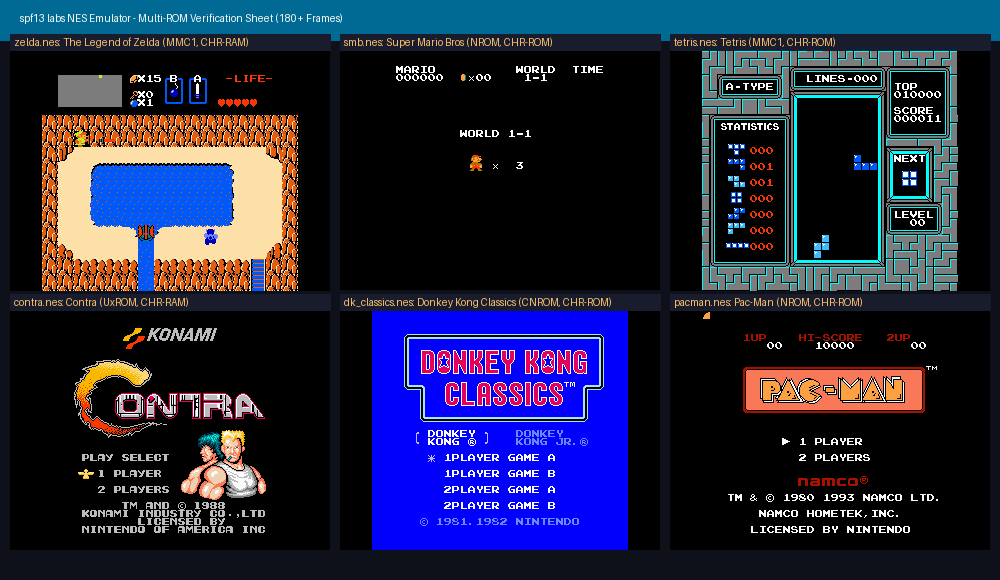
Turn-based RPGs and handheld classics are a natural fit for a lanyard badge you carry between conference sessions. Alongside action staples (The Legend of Zelda, Super Mario Bros., Tetris, Contra, Castlevania, Mega Man 2, Metroid, Donkey Kong Classics, Pac-Man, Galaga, Excitebike, Dr. Mario), we added full MMC1 + battery SRAM + instant save state profiles for Final Fantasy (ff1.nes) and Dragon Warrior (dw1.nes).
| Tetris | Mega Man 2 |
|---|---|
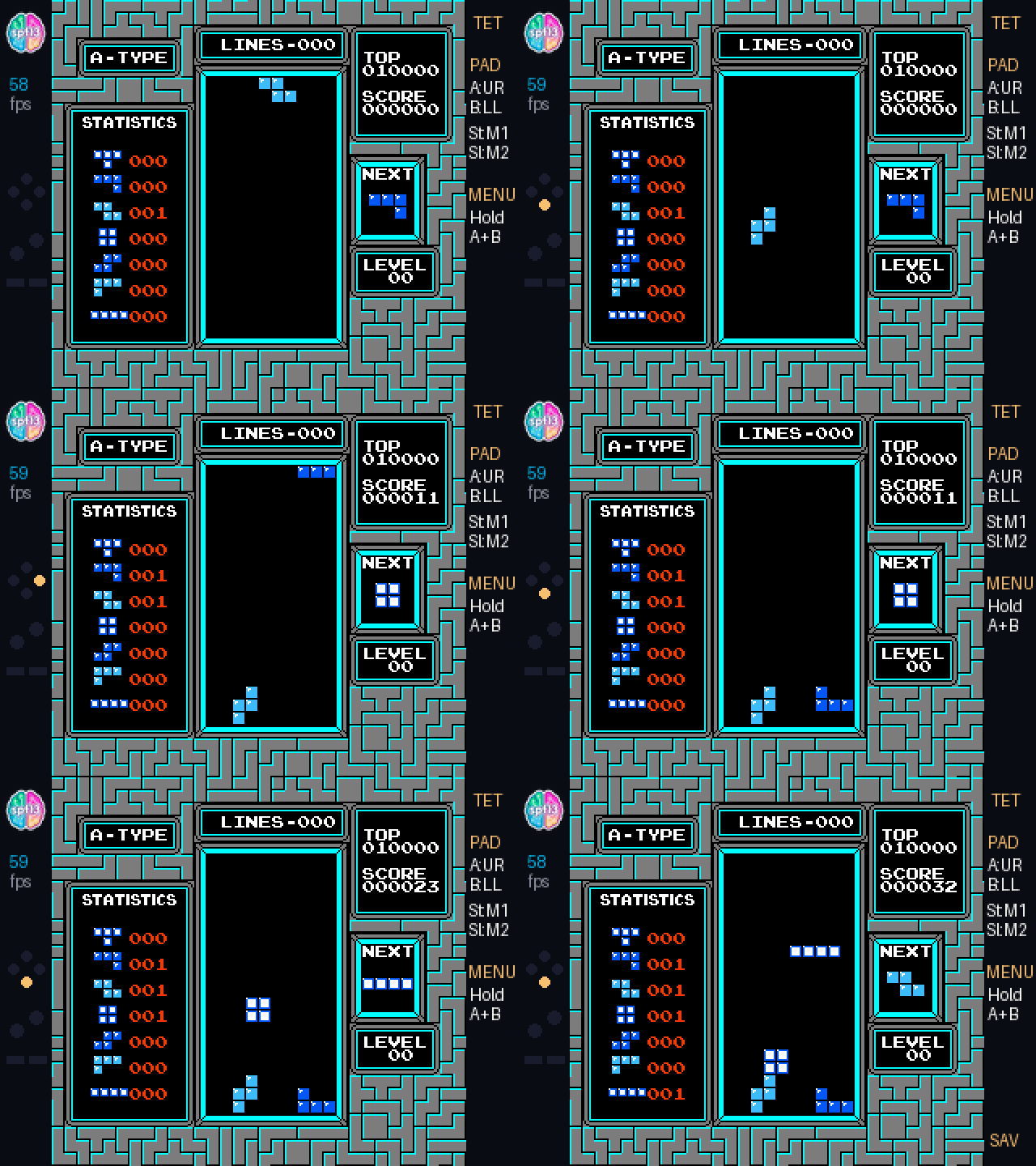 | 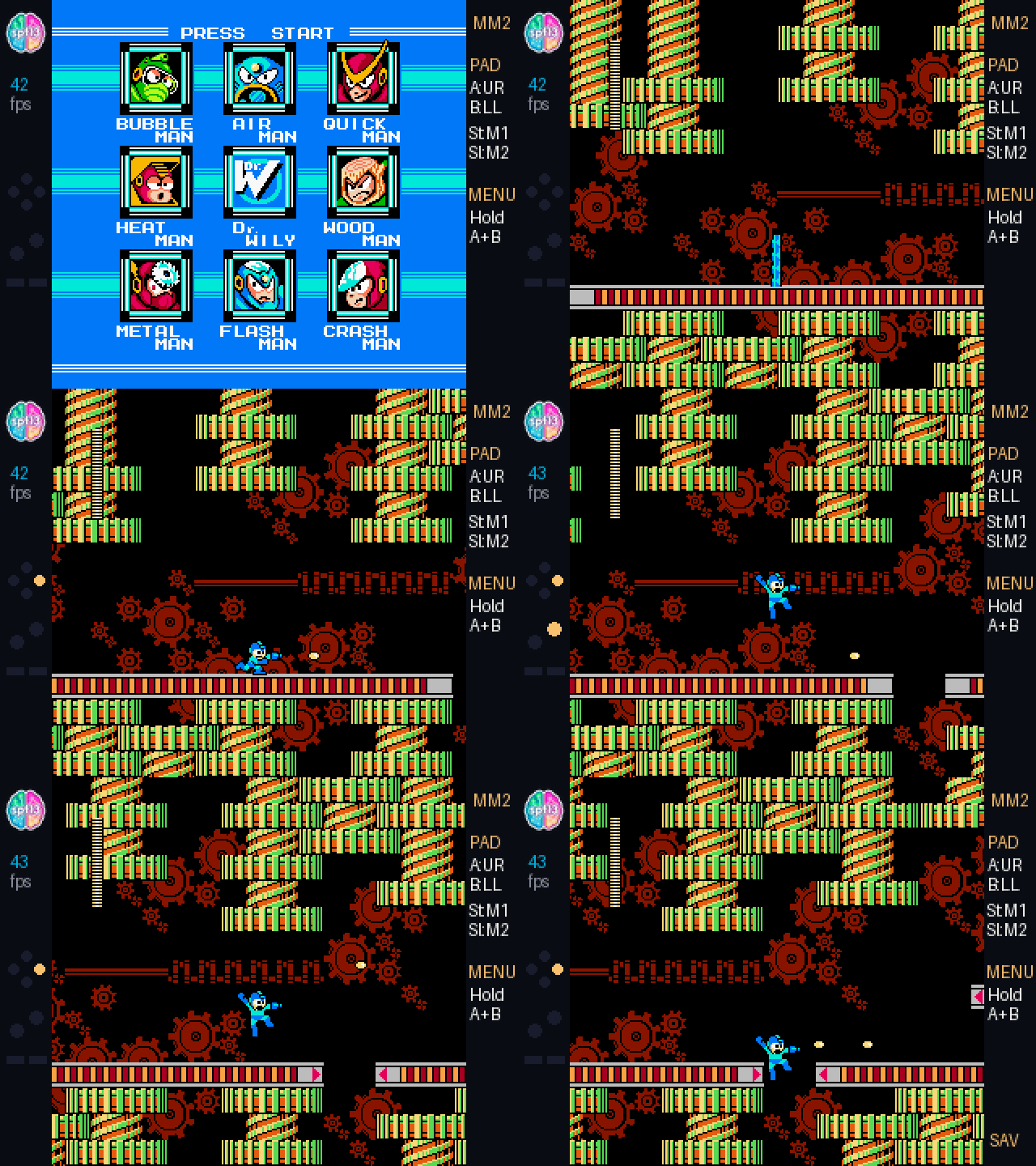 |
| Final Fantasy (NES, MMC1 + save states) |
|---|
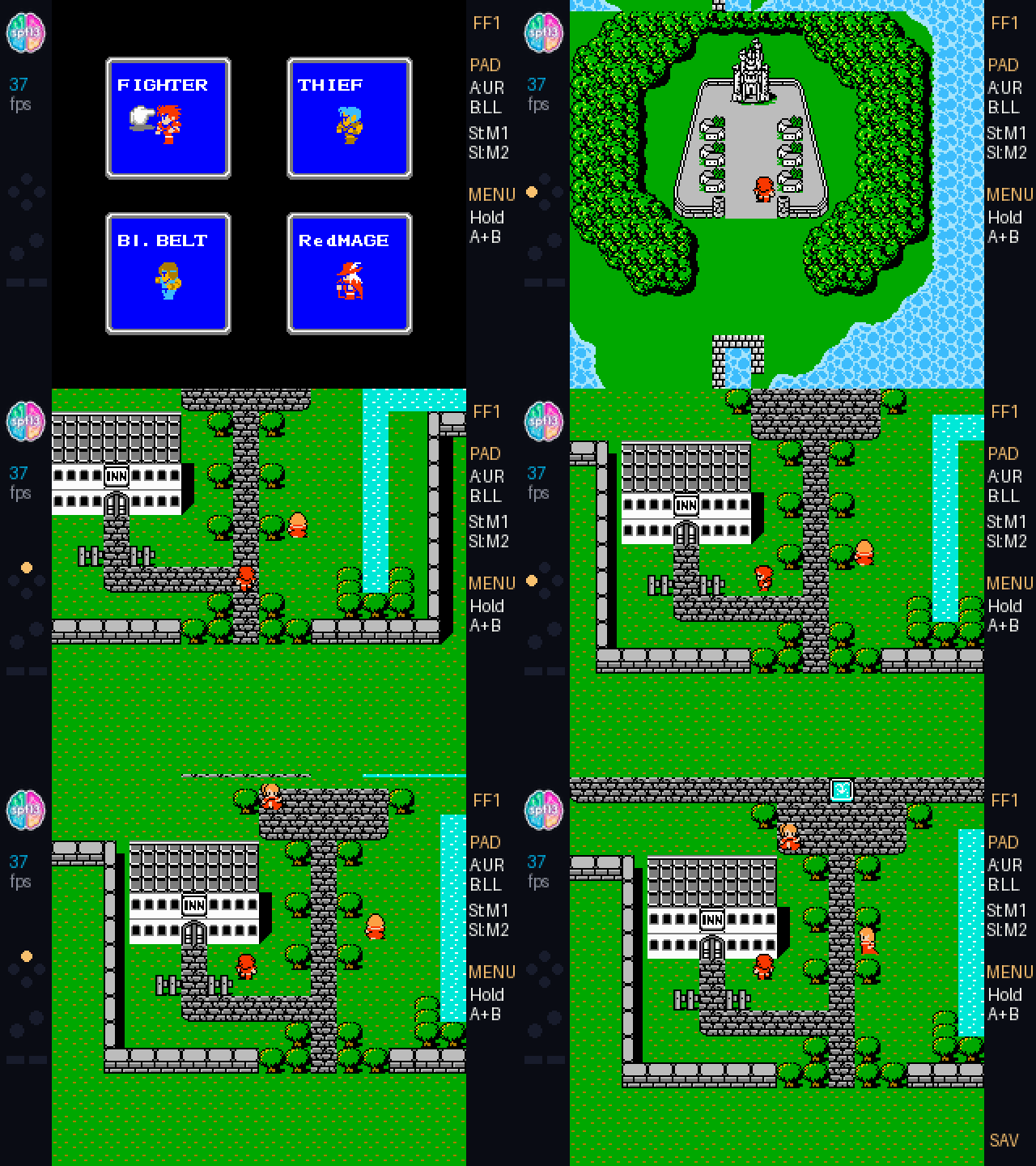 |
Two-Minute Install
The NES emulator (apps/nes) and the Hardware Lab (apps/hacker) are open source:
github.com/spf13/universe-2026-badge-hacks
Mount the badge as USB storage. Plug it in over USB-C and launch the USB Disk (
mass_storage) app from the MonaOS menu. It shows up as a removable drive (F:\on Windows,/Volumes/BADGERon macOS).Clone and copy
apps/nes:macOS (zsh):
git clone https://github.com/spf13/universe-2026-badge-hacks.git
cd universe-2026-badge-hacks
cp -R apps/nes /Volumes/BADGER/apps/
# If /Volumes/BADGER/apps doesn't exist yet:
# mkdir -p /Volumes/BADGER/apps && cp -R apps/nes /Volumes/BADGER/apps/
Badge not at
/Volumes/BADGER? Runls /Volumesto find it — some Macs mount it asBADGERorRP2350.Windows (PowerShell):
git clone https://github.com/spf13/universe-2026-badge-hacks.git
cd universe-2026-badge-hacks
Copy-Item -Recurse -Force .\apps\nes F:\apps\
Drive letter varies — check File Explorer if
F:\doesn’t exist.Add your own ROMs that you’ve dumped yourself and legally obtained. No ROMs are included or linked:
- macOS: drop any
.nesfile into/Volumes/BADGER/apps/nes/roms/(zelda.nes,ff1.nes,dw1.nes,smb.nes,tetris.nes,contra.nes,castlevania.nes,megaman2.nes,metroid.nes, etc.) — Finder drag-and-drop works too. - Windows: same files into
F:\apps\nes\roms\.
- macOS: drop any
Eject & play. Safely eject the drive (macOS: right-click → Eject or
diskutil eject /Volumes/BADGER; Windows: system tray → Safely Remove), pick NES from the MonaOS menu, turn the badge upside-down so the capacitive pad sits under your thumbs, and go.
Conference badges used to be glorified flashing name tags. Today they’re dual-core ARM computers that compile native machine code at import time, and the interesting part of this project was finding out how far that actually gets you. Today it’s far enough for a playable NES.
If you’re heading to GitHub Universe 2026, I look forward to seeing you there. Just remember to save your game before the keynote.
(Since it felt like a Game Boy I then wondered if I could get it to run Game Boy Color games too. See the follow-up post: Game Boy Color on My Conference Badge.)